

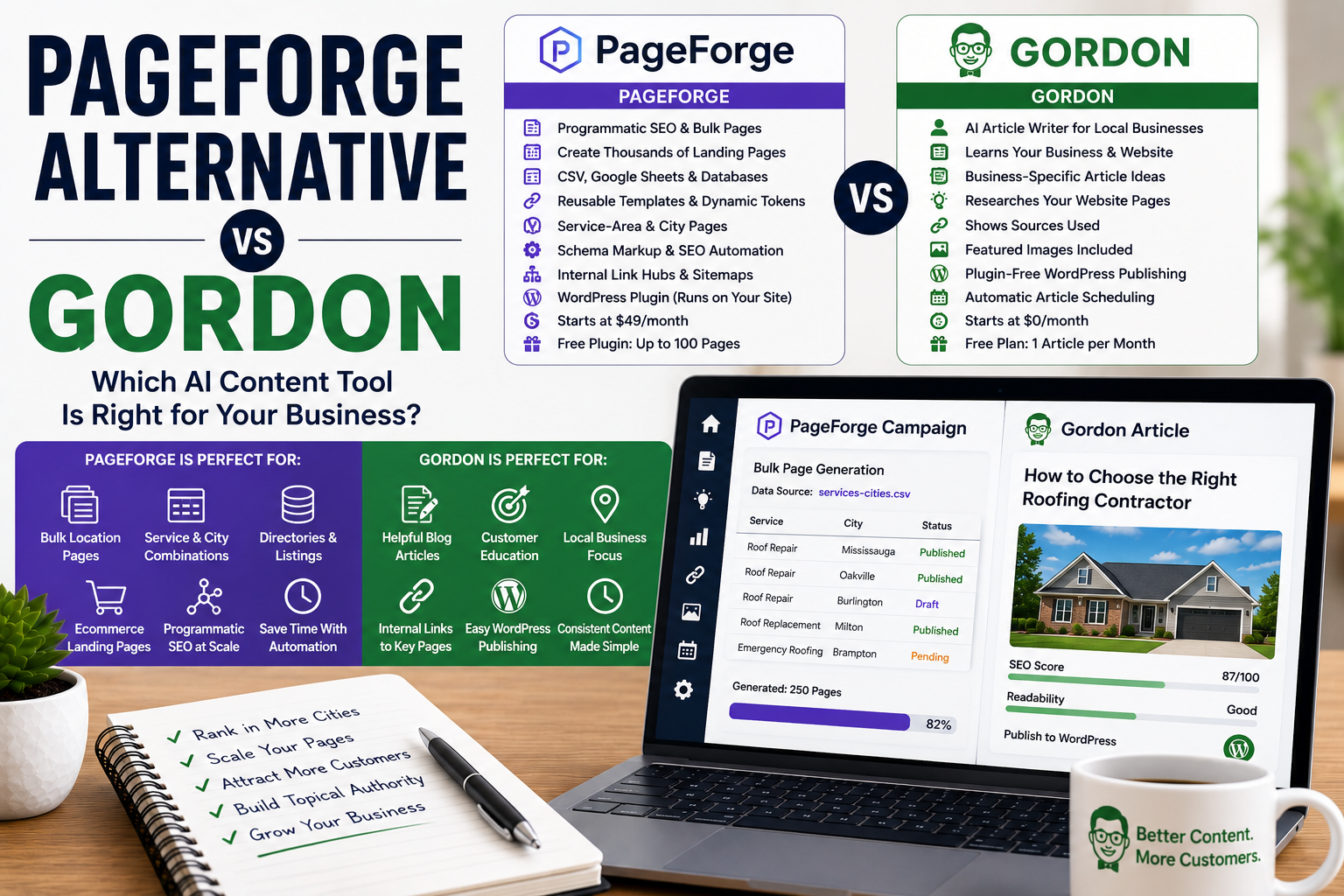
PageForge Alternative for Local Businesses: Gordon vs PageForge
Disclosure: Gordon is our product, so this is not an independent review. We compared Gordon and PageForge using publicly available information and have tried to explain honestly where each platform may be the better fit. Features and pricing were reviewed on July 15, 2026 and may change.
PageForge is an AI-powered programmatic SEO and bulk page generator built specifically for WordPress.
It allows businesses, agencies, SEO professionals, ecommerce websites, directory owners, and publishers to turn structured data into large numbers of WordPress pages using reusable templates and dynamic tokens.
A user can upload a spreadsheet containing information such as services, cities, products, prices, phone numbers, and calls to action. PageForge then uses each row of data to create a corresponding WordPress page.
This makes PageForge particularly useful for creating:
- Service-area pages
- City landing pages
- Service-and-location pages
- Product-and-location pages
- Directory listings
- Real estate pages
- Ecommerce landing pages
- Industry-specific pages
- Long-tail keyword pages
- Large programmatic SEO campaigns
PageForge also offers AI content generation, SEO metadata, schema markup, internal-linking tools, Google Sheets integration, content scheduling, custom post types, and compatibility with popular WordPress builders.
However, PageForge and Gordon are not designed to solve exactly the same content problem.
PageForge is primarily designed to create many repeatable pages from structured data and reusable templates.
Gordon is designed to create individual, researched articles based on a local business, its services, locations, website pages, customer questions, and writing preferences.
This comparison examines PageForge and Gordon, where each platform is strongest, how programmatic pages differ from business articles, and which WordPress content tool may be the better fit for your business.
Gordon vs PageForge: The Quick Verdict
Choose Gordon if you want an AI article writer that learns about your business, researches relevant pages from your website, suggests useful article ideas, generates featured images, and lets you save, draft, schedule, or publish complete WordPress articles.
Choose PageForge if you want to create dozens, hundreds, or thousands of similar WordPress pages from a spreadsheet, database, or reusable template.
Both platforms can help a local business create WordPress content.
The main difference is the type of content they create.
PageForge is designed for programmatic SEO pages.
Gordon is designed for researched business articles.
A roofing company might use PageForge to create individual landing pages for every service-and-city combination.
The same roofing company might use Gordon to publish articles such as:
- Signs Your Roof May Need Professional Repair
- Roof Repair vs Roof Replacement: What Should You Consider?
- How to Prepare Your Home for a Roof Inspection
- Common Causes of Roof Leaks
- When Should You Schedule a Professional Roof Inspection?
The two tools may compete for part of the same budget, but they can also complement one another.
Want to see Gordon before reading the full comparison? Explore Gordon’s features, see how Gordon works, or generate your first article free.
Gordon vs PageForge at a Glance
| Feature | Gordon | PageForge |
|---|---|---|
| Primary audience | Local businesses and small agencies | Agencies, SEO professionals, local businesses, ecommerce stores, directories, publishers, and developers |
| Primary purpose | Researching, writing, and publishing business articles | Creating programmatic WordPress pages in bulk |
| Main content type | Blog articles and educational business content | Landing pages, city pages, directory pages, product pages, and repeatable page sets |
| Starting point | Saved business profile and article topic | CSV, Google Sheet, database, and reusable template |
| Saved business profile | Services, products, programs, locations, target cities, writing style, calls to action, and website pages | Structured data stored in spreadsheet columns and reusable templates |
| Article ideas | Generated from the saved business profile | AI planning tools can help develop page patterns and supporting content |
| Website research | Reviews relevant internal pages and shows the sources used | Primarily uses supplied structured data, templates, prompts, and campaign settings |
| External data source | Not required | CSV, Google Sheets, or connected data source |
| Bulk page creation | Not the primary purpose | Core feature |
| Individual researched articles | Core feature | AI post generation is available, but it is not the primary programmatic workflow |
| Dynamic tokens | No spreadsheet-token workflow | Core feature |
| Page builders | Sends formatted articles to WordPress | Supports Gutenberg, Elementor, Divi, reusable blocks, and other WordPress layouts |
| SEO metadata | Included with each article | Dynamic metadata and integrations with popular SEO plugins |
| Schema markup | Not currently the primary workflow | Included |
| Internal links | Adds relevant links from the business website | Structured internal-link hubs and automated linking tools |
| Featured images | Generated for each article according to plan limits | Primarily focused on page generation rather than an article featured-image workflow |
| WordPress connection | Remote WordPress REST API connection | Installed directly as a WordPress plugin |
| WordPress plugin required | No | Yes |
| Automatic scheduling | Recurring article schedules on paid plans | Generated-page and content scheduling tools |
| Free option | One article per month | Free plugin with up to 100 pages per generation run |
| Paid starting price | $29 per month | $49 per month |
| Best use case | Publishing useful ongoing articles | Scaling repeatable landing pages |
What Is PageForge?
PageForge is a WordPress programmatic SEO plugin and bulk page generator.
Programmatic SEO is the process of creating many targeted pages from a reusable template and structured data.
Instead of building each page manually, the user creates one template and supplies the information that should change on each page.
For example, a plumbing company might prepare a spreadsheet like this:
| Service | City | Province | Phone |
|---|---|---|---|
| Emergency Plumbing | Mississauga | Ontario | 555-111-1111 |
| Drain Cleaning | Oakville | Ontario | 555-111-1111 |
| Water Heater Repair | Milton | Ontario | 555-111-1111 |
The user could then create a reusable title pattern such as:
{Service} in {City}, {Province}
PageForge would replace the tokens with the corresponding values from each spreadsheet row.
The resulting pages could include:
- Emergency Plumbing in Mississauga, Ontario
- Drain Cleaning in Oakville, Ontario
- Water Heater Repair in Milton, Ontario
Tokens can also be used within:
- URLs
- Headings
- Paragraphs
- Excerpts
- Calls to action
- Phone numbers
- SEO titles
- Meta descriptions
- Schema fields
- WordPress builder layouts
This allows one template to produce a large number of pages.
PageForge can create:
- WordPress pages
- Blog posts
- Custom post types
- WooCommerce-related content
- Location pages
- Service pages
- Directory entries
- Product landing pages
- Comparison pages
- Long-tail SEO pages
Users can choose whether generated content should be:
- Published
- Private
- Saved as a draft
- Marked as pending review
PageForge is therefore not simply an AI article writer.
It is infrastructure for building repeatable WordPress page systems.
What Is Gordon?
Gordon is an AI article writer designed specifically for local business websites.
Instead of asking the user to prepare a spreadsheet and reusable template, Gordon begins by learning about the business.
Your Gordon business profile can include:
- Your services
- Your products
- Your programs
- Your physical locations
- The cities or areas you serve
- Your preferred writing style
- Your preferred call to action
- Your contact information
- Your important website pages
- Your WordPress categories
Gordon saves this information and uses it when generating future article ideas and articles.
Before writing an article, Gordon identifies and researches pages from your website that are relevant to the selected topic.
These may include:
- Service pages
- Product pages
- Program pages
- Location pages
- About pages
- Booking pages
- Registration pages
- Contact pages
- Frequently asked questions
- Existing blog articles
- Other useful business pages
Gordon then shows which pages were used as sources.
This gives the business owner visibility into where the article’s business-specific information came from.
Each completed Gordon article can include:
- A focused title
- A clear article structure
- Useful headings
- Natural long-tail search phrases
- Business-specific information
- Local details where appropriate
- Relevant internal links
- An SEO title
- A meta description
- Tags
- A selected WordPress category
- WordPress-ready formatting
- A generated featured image
- A relevant call to action
Every article opens inside Gordon’s editor.
You can review and change the title, article content, SEO details, tags, WordPress category, featured image, internal links, and other information before anything is sent to your website.
Depending on your plan, you can:
- Keep the article saved inside Gordon
- Send it to WordPress as a draft
- Publish it immediately
- Schedule it for a future date
- Let Gordon create future articles automatically
See how Gordon turns your business information into WordPress-ready articles.
PageForge Creates Page Systems; Gordon Creates Articles
The biggest difference is the intended output.
PageForge is designed to create a page system.
A page system contains many pages following a repeatable pattern.
Examples include:
- One page for every service and city
- One page for every product and location
- One page for every real estate listing
- One page for every directory entry
- One page for every industry served
- One page for every comparison combination
- One page for every category and region
Gordon creates standalone articles.
An article is usually built around a customer question, decision, problem, comparison, or educational topic.
Examples include:
- How Often Should You Schedule a Haircut?
- What Should You Bring to a Bridal Hair Trial?
- What Are the Signs of a Drainage Problem?
- When Should You Replace Your Roof?
- How Do You Choose the Right Youth Sports Program?
- What Should You Ask Before Hiring a Contractor?
Programmatic pages and articles serve different purposes.
A programmatic page often targets a specific commercial search, such as:
Roof repair in Oakville
An article may target an informational search, such as:
How can I tell whether my roof needs repair?
The landing page explains the service and encourages the visitor to request a quote.
The article helps the reader understand the problem and may then direct them to the service page.
A complete content strategy may include both.
PageForge Is Stronger for Service-and-City Pages
Local businesses frequently want to rank in several service areas.
A contractor may provide:
- Roofing
- Siding
- Gutters
- Insulation
The same contractor may serve:
- Mississauga
- Oakville
- Burlington
- Milton
- Brampton
Creating a page for every combination manually could require 20 separate pages.
PageForge can use a spreadsheet and one template to create those combinations in bulk.
Each row can contain different information, such as:
- Service
- City
- Province or state
- Phone number
- Local address
- Price
- Call to action
- Opening hours
- Neighbourhood
- Staff member
- Local image
- Page-specific paragraph
This is PageForge’s clearest advantage.
Gordon is not designed to produce hundreds of city-and-service landing pages from spreadsheet rows.
Gordon can use target cities naturally within articles, but his primary purpose is not mass location-page generation.
PageForge is the stronger option when the business needs a large and carefully managed local landing-page system.
Gordon is the stronger option when the business needs ongoing articles that educate customers and support those landing pages.
Gordon Is Built Around a Local Business Profile
Gordon’s central feature is the saved business profile.
The profile helps Gordon understand the company before suggesting or generating articles.
For example, a roofing contractor can add:
- Roof repair
- Roof replacement
- Emergency roofing
- Gutter installation
- The cities it serves
- Its preferred writing style
- Its quote-request page
- Its phone number
- Its important service pages
- Its preferred call to action
A beauty salon can add:
- Haircut and styling services
- Colour services
- Bridal services
- Salon locations
- Booking information
- Target cities
- Contact pages
- Preferred beauty terminology
- Appointment calls to action
A sports club can add:
- Programs
- Age groups
- Locations
- Registration pages
- Seasonal information
- Target communities
- Preferred terminology
- Registration calls to action
Gordon remembers this information across future article ideas and drafts.
The business owner does not need to repeatedly explain:
- What the business offers
- Where it operates
- Which areas it serves
- Which website pages should be linked
- How the articles should sound
- Which terminology should be used
- What readers should do next
PageForge stores business data in a more structured format.
Information is supplied through spreadsheet columns, templates, global settings, and page-generation rules.
This is more powerful when the data must generate hundreds of pages.
Gordon’s profile is more intuitive when the main goal is writing individual business articles.
Tell Gordon about your business once and use that information across future articles. Explore Gordon’s business-focused features.
PageForge Requires More Upfront Planning
Programmatic SEO can save significant time after the system is built.
However, it usually requires careful planning before the first large generation run.
A PageForge user may need to:
- Decide which page pattern to create.
- Determine whether every page has genuine search intent.
- Prepare a CSV or Google Sheet.
- Create the required data columns.
- Fill in accurate values for every row.
- Build a reusable template.
- Add dynamic tokens.
- Configure the title and URL pattern.
- Configure SEO metadata.
- Add schema.
- Configure internal links.
- Choose the post type and status.
- Generate a small draft batch.
- Review the output.
- Fix the template or data.
- Generate the remaining pages.
This setup is worthwhile when the business needs 100, 500, or 5,000 pages.
It may be unnecessary when the business only wants to publish one new article each week.
Gordon requires less structured preparation.
The user creates the business profile, reviews ideas, selects a topic, and generates an article.
PageForge offers more scalability.
Gordon offers a simpler path to a finished article.
Gordon Suggests Article Ideas Based on the Business
Many local business owners know they should publish articles but do not know what to write about consistently.
Gordon can generate ideas using the information saved in the business profile.
Ideas may be based on:
- Individual services
- Products
- Programs
- Customer questions
- Seasonal needs
- Preparation advice
- Aftercare
- Comparisons
- Common mistakes
- Booking decisions
- Buying decisions
- Target cities
- Different audience groups
- Local considerations
A landscaping company might receive ideas such as:
- When Should You Schedule Spring Lawn Care?
- Sod vs Overseeding: Which Option Is Better?
- Signs Your Property Needs Professional Drainage Work
- What to Consider Before Installing a Backyard Patio
- Questions to Ask Before Hiring a Landscaping Company
A salon might receive ideas such as:
- How to Prepare for a Bridal Hair Trial
- What to Consider Before Changing Your Hair Colour
- How Often Should You Schedule a Haircut?
- Threading vs Waxing for Facial Hair Removal
- What to Bring to a Special-Event Hair Appointment
Article ideas do not use Gordon’s monthly article allowance.
An article only counts after Gordon successfully generates it.
The process is straightforward:
- Tell Gordon about the business.
- Review business-specific article ideas.
- Choose a useful topic.
- Let Gordon research relevant website pages.
- Review the completed article.
- Edit anything that needs adjustment.
- Send the article to WordPress when ready.
PageForge includes AI planning and post-generation tools, but its primary idea structure is based on repeatable page patterns and structured datasets.
Gordon’s ideas are centred on what the business can teach its customers.
Need topics based on your actual services and locations? Generate your first Gordon article free.
Gordon Researches Relevant Website Pages
PageForge primarily uses the information supplied through:
- CSV files
- Google Sheets
- Databases
- Templates
- Tokens
- Prompts
- Global campaign settings
The quality of the generated pages therefore depends heavily on the supplied data and template.
Gordon automatically looks for relevant pages on the connected business website.
For an article about roof repair, Gordon might review:
- The roof-repair service page
- The roof-replacement page
- The service-area page
- The request-a-quote page
- Existing roofing articles
- The contact page
For an article about bridal hair preparation, Gordon might review:
- The bridal services page
- The salon location page
- The booking page
- The contact page
- Relevant beauty articles
This helps Gordon understand how the business describes its own services and where the article should direct readers.
PageForge is more data-driven.
Gordon is more website-research-driven.
Gordon Shows the Business Pages Used as Sources
Every Gordon article includes a Sources Used section.
The user can see whether Gordon reviewed pages such as:
- A service page
- A location page
- A product page
- A booking page
- A contact page
- A program page
- A registration page
- A related article
This helps the business owner verify where company-specific information came from.
It also helps distinguish between:
- Statements about the business
- General educational information
PageForge gives users direct control over the spreadsheet and template data.
Gordon gives users visibility into the business pages used during article research.
Both systems provide control in different ways.
PageForge Has Stronger Template Controls
PageForge can use one WordPress layout as the foundation for an entire page set.
Supported workflows include layouts created with:
- Gutenberg
- Elementor
- Divi
- Reusable blocks
- WordPress templates
- Other compatible builders and themes
Tokens can be placed throughout the layout.
This allows businesses and agencies to maintain consistent design across hundreds of pages.
For example, every generated location page could contain:
- A hero section
- A city-specific heading
- A service description
- A local testimonial
- A phone number
- A map
- Frequently asked questions
- A call-to-action section
- Structured data
- Related service links
The dynamic fields change according to the spreadsheet row while the overall design remains consistent.
Gordon does not use page-builder templates.
Gordon creates article content using WordPress-ready formatting.
PageForge is the stronger choice for complex repeated layouts.
Gordon is the more straightforward choice for standard blog articles.
PageForge Supports Dynamic SEO Metadata
PageForge can create dynamic:
- SEO titles
- Meta descriptions
- URLs
- Excerpts
- Schema fields
- Heading patterns
It can also synchronize supported metadata with popular WordPress SEO plugins.
For example, a title pattern could be:
Professional {Service} in {City} | Business Name
The resulting metadata changes according to each spreadsheet row.
This is important for programmatic SEO because every generated page needs an appropriate title and URL.
Gordon creates an SEO title and meta description for each individual article.
The user can review and edit those details before sending the article to WordPress.
PageForge is stronger for metadata at scale.
Gordon is simpler for individually reviewed article metadata.
PageForge Includes Schema Support
Structured data helps search engines understand the type of information contained on a page.
PageForge can apply schema to generated pages.
Depending on the campaign, this may help identify:
- Local businesses
- Services
- Products
- Frequently asked questions
- Articles
- Other structured page types
Applying schema through one template can save time across a large page system.
Gordon is currently focused on the article content, SEO details, internal links, featured image, and WordPress publishing workflow.
It is not positioned as a programmatic schema-generation platform.
PageForge is the stronger option when schema must be added consistently across hundreds of generated pages.
PageForge Creates Internal-Link Hubs
Large programmatic page systems require strong internal organization.
Publishing hundreds of pages without linking to them can make the pages difficult for both visitors and search crawlers to discover.
PageForge includes tools for creating page hubs and sitemap-style sections.
A business might create a central page listing:
- All service areas
- All services
- All city pages
- All directory categories
- All product-location combinations
PageForge can use its generated-page information to build a structured internal-link hub.
Gordon adds internal links within individual articles.
A Gordon article may link to:
- A relevant service page
- A product page
- A location page
- A booking page
- A registration page
- A contact page
- A related article
PageForge is stronger for organizing large programmatic page sets.
Gordon is focused on adding useful contextual links inside each article.
PageForge Can Generate AI Content for Each Page
One of the main risks of programmatic SEO is creating pages that are nearly identical.
Replacing only the city or service name may produce pages with little unique value.
PageForge Pro includes AI content generation that can create additional page-specific content.
This may help generate:
- Unique introductory paragraphs
- Service descriptions
- Location-specific content
- Frequently asked questions
- Page-specific calls to action
- Metadata
- Supporting blog content
However, AI generation does not automatically make every page valuable.
The user still needs to verify:
- Whether the page serves a real search intent
- Whether the information is accurate
- Whether the location details are useful
- Whether the content differs meaningfully
- Whether business claims are correct
- Whether the page deserves to be indexed
- Whether the template creates a good user experience
PageForge itself recommends reviewing a small draft batch before generating the complete campaign.
Gordon also uses AI, but each article is generated around one selected topic and reviewed as an individual piece of content.
PageForge prioritizes scale.
Gordon prioritizes the individual article workflow.
Programmatic SEO Requires Careful Quality Control
Programmatic SEO can be effective when every page provides useful, page-specific information.
It can also produce weak results when hundreds of pages are created by changing only a small number of words.
A useful service-area page may include:
- Accurate local service information
- Local contact details
- Relevant neighbourhoods
- Location-specific customer questions
- Different service considerations
- Local examples
- Accurate business information
- A meaningful call to action
- Helpful internal links
A weak service-area page may simply repeat the same paragraph while replacing one city name.
Large-scale generation should remove repetitive production work, not remove editorial judgment.
This is an area where Gordon and PageForge have different risks.
A PageForge user must ensure the template and dataset produce genuinely useful differences across many pages.
A Gordon user must ensure each generated article is accurate, useful, and aligned with the selected topic.
Both require review, but PageForge introduces greater scale.
Gordon’s Article Grader Can Review Published Content
Gordon also offers a free Article Grader.
Users can enter the public URL of a published article and receive an evaluation of areas such as:
- SEO
- Information quality
- Search intent
- Readability
- Structure
- Originality
- Trustworthiness
- Repetition
- Internal links
- Calls to action
- Publish readiness
The results can include:
- An overall article grade
- Individual category scores
- Top strengths
- Priority issues
- Recommended improvements
- Repetition findings
- Claim-verification notes
- A publish-readiness assessment
The Article Grader is intended primarily for articles rather than auditing an entire programmatic page set.
However, it can help evaluate individual pages when they contain substantial article-like content.
Already have an article on your website? Grade it free with Gordon.
PageForge Operates Inside WordPress
PageForge is installed as a WordPress plugin.
Its generation workflow takes place inside the WordPress dashboard.
This provides several advantages:
- Pages are created directly inside WordPress.
- Existing WordPress layouts can be reused.
- Supported page-builder data can be cloned.
- WordPress post types can be selected.
- Draft and publishing statuses can be controlled.
- SEO plugin metadata can be synchronized.
- Generated pages can be edited through WordPress.
- WooCommerce and custom post types can be used.
This makes PageForge deeply connected to the WordPress environment.
Gordon operates as an external SaaS platform.
It connects to WordPress through the built-in REST API using:
- The website URL
- A WordPress username
- A WordPress application password
No Gordon WordPress plugin is required.
Gordon never needs the user’s regular WordPress password.
Depending on the plan, Gordon can send an article to WordPress as:
- A draft
- An immediately published article
- A scheduled article
PageForge is stronger when the user wants to build and manage a complete generation system inside WordPress.
Gordon may be preferable when the business does not want to install another plugin and mainly needs articles.
See the complete Gordon workflow from business profile to WordPress in How Gordon Works.
PageForge Supports More WordPress Content Types
PageForge can generate:
- Pages
- Posts
- Custom post types
- WooCommerce-related content
- Directory entries
- Real estate listings
- Product landing pages
- Service pages
This flexibility is valuable for businesses with structured content.
A real estate website could generate a custom post for every property.
A directory could generate one listing for every business.
An ecommerce store could generate category or product-variation pages.
An agency could generate location pages for each client.
Gordon is focused on WordPress articles.
This narrower focus makes Gordon less flexible but simpler.
Gordon Handles the Featured Image Workflow
Gordon generates a featured image for each article according to the selected plan.
The Starter and Pro plans include one featured image generation per article.
Pro Plus includes up to three featured image generations per article.
Agency includes up to five.
Users on qualifying plans can generate additional options and select the image they prefer.
The selected image can then be sent to WordPress as the article’s featured image.
PageForge is primarily designed around page layouts, dynamic content, metadata, and schema.
Images can be supplied through spreadsheet data, templates, builder layouts, or AI workflows, but the product is not primarily centred on creating a unique featured image for every article.
Gordon provides the more direct article-and-featured-image workflow.
Both Platforms Can Schedule Content
PageForge Pro includes content scheduling and queued generation workflows.
This can help users avoid publishing hundreds of pages at once.
A campaign might generate pages as drafts and then publish them gradually.
Gordon’s paid plans include an automatic article scheduler.
Users can choose:
- How often Gordon should write
- Which topics should be prioritized
- Which services or locations should be considered
- Which article type should be used
- Which WordPress category should receive the article
- What should happen when the article is complete
Schedule options include:
- Daily
- Weekly
- Biweekly
- Monthly
- Selected weekdays
The completed Gordon article can:
- Remain saved inside Gordon
- Be sent to WordPress as a draft
- Be scheduled
- Be published automatically
PageForge schedules the production and publication of a structured page campaign.
Gordon schedules recurring individual articles based on the saved business profile.
Choose your topics, frequency, WordPress category, and publishing preference. Explore Gordon’s automatic article features.
Gordon vs PageForge Pricing
Gordon and PageForge charge for different types of output.
Gordon plans are based primarily on:
- Completed articles
- Connected business websites
- Featured image generations
- Publishing and scheduling features
PageForge plans are based primarily on:
- Connected WordPress websites
- Programmatic page generation
- AI and automation features
- Structured data sources
- Campaign scale
Gordon Pricing
| Plan | Monthly price | Articles | Business websites |
|---|---|---|---|
| Starter | $0 | 1 per month | 1 |
| Pro | $29 | 15 per month | 1 |
| Pro Plus | $59 | 40 per month | 3 |
| Agency | $99 | 75 per month | 10 |
| Enterprise | Custom | Custom | Custom |
Gordon’s free Starter plan includes:
- One article per month
- One business website
- One featured image generation per article
- Article ideas
- Sending the completed article to WordPress as a draft
Paid Gordon plans add:
- Higher article allowances
- Immediate publishing
- Article scheduling
- Recurring automatic article schedules
- Additional business websites
- Separate business profiles
- Additional image generations on qualifying plans
You can review the complete plan comparison in the Gordon pricing section.
PageForge Pricing
PageForge offers a free WordPress plugin and three main paid plans.
| Plan | Monthly price | Websites |
|---|---|---|
| Free | $0 | WordPress plugin |
| Starter | $49 | 1 |
| Professional | $99 | 5 |
| Enterprise | $249 | Unlimited |
PageForge Free can generate up to 100 pages in one controlled run.
Its free features include capabilities such as:
- CSV uploads
- Reusable templates
- Dynamic tokens
- WordPress page generation
- Draft and publishing statuses
- SEO metadata synchronization
- Schema support
- Sitemap blocks
- Optional AI tools using the user’s own provider key
Paid PageForge plans add or expand capabilities such as:
- AI Site Planner
- Google Sheets integration
- AI content generation
- AI post generation
- Bulk metadata optimization
- Content scheduling
- Custom post types
- Larger automation workflows
- Additional websites
- Higher page-generation capacity
The pricing reflects two different products.
At $49 per month, PageForge Starter supports one WordPress website and is designed for bulk page campaigns.
At $59 per month, Gordon Pro Plus supports up to three business websites and 40 completed articles each month.
At $99 per month, PageForge Professional supports up to five websites.
At the same $99 monthly price, Gordon Agency supports up to ten business websites and 75 articles per month.
PageForge provides substantially more page-generation scale.
Gordon provides a complete researched-article workflow with featured images and business profiles.
The better value depends on whether the business needs hundreds of repeatable pages or a consistent stream of individual articles.
Compare Gordon’s article allowances, website limits, image generations, and publishing features in the Gordon pricing section.
What PageForge Does Better
PageForge is likely the stronger option when you need:
- Programmatic SEO
- Hundreds or thousands of pages
- Service-and-city landing pages
- Product-and-location pages
- Directory websites
- Real estate listings
- Ecommerce landing pages
- Structured page generation
- CSV imports
- Google Sheets integration
- Database-driven pages
- Dynamic tokens
- Reusable WordPress templates
- Gutenberg layout cloning
- Elementor layout cloning
- Divi layout cloning
- Custom post types
- WooCommerce workflows
- Dynamic SEO metadata
- Schema markup
- Internal-link hubs
- Sitemap blocks
- Bulk metadata optimization
- Page-generation queues
- Programmatic publishing schedules
- A WordPress-native generation system
PageForge is designed to remove repetitive work from large page projects.
For agencies, directories, ecommerce businesses, real estate websites, and companies serving many locations, that scale may make PageForge the stronger choice.
What Gordon Does Better for Local Businesses
Gordon may be the better option when you want:
- An AI writer focused on individual business articles
- A simple and editable local-business profile
- Services, products, programs, locations, and target cities remembered across articles
- Calls to action saved inside the business profile
- Article ideas based on the actual business
- Research focused on relevant pages from your own website
- A visible list of business pages used as sources
- Natural internal links to the real business website
- Educational and customer-focused articles
- A generated featured image for every article
- WordPress publishing without installing a plugin
- Automatic daily, weekly, biweekly, monthly, or selected-day writing
- Control over whether articles remain saved, become drafts, are scheduled, or are published
- A permanent free plan
- Multiple separate business profiles on qualifying plans
- Less spreadsheet and template preparation
- A simpler workflow for ongoing blogging
Gordon’s advantage is not that he can create more pages than PageForge.
PageForge can create far more pages.
Gordon’s advantage is that his workflow is built around researching and writing individual articles for a real business.
A business owner does not need to:
- Prepare a CSV
- Build a reusable page template
- Configure tokens
- Design a URL formula
- Create spreadsheet rows
- Manage a programmatic page system
- Test a bulk generation queue
- Review hundreds of generated pages
Tell Gordon about the business once, choose an article idea, review the completed article, and decide what should happen next.
Explore Gordon’s local-business article features or generate your first article free.
Is Gordon a Good PageForge Alternative?
Gordon is a good PageForge alternative only for businesses comparing different ways to create WordPress content.
It is not a direct replacement for PageForge’s programmatic SEO capabilities.
PageForge is probably the better choice when you need:
- Hundreds of location pages
- Service-and-city combinations
- Directory pages
- Product landing pages
- Structured datasets
- Dynamic WordPress templates
- Custom post types
- Schema at scale
- Bulk metadata
- Programmatic internal-link hubs
- Large page-generation campaigns
Gordon may be the better choice when you need:
- Ongoing blog articles
- Customer education
- Business-specific article ideas
- Website research
- Transparent source pages
- Individual featured images
- WordPress-ready article formatting
- Recurring automatic articles
- Human review before publishing
- A simpler content workflow
- No additional WordPress plugin
The Gordon workflow is straightforward:
- Gordon learns about the business.
- Gordon saves its services, products, locations, target cities, writing style, and calls to action.
- Gordon suggests relevant article ideas.
- Gordon researches useful pages from the website.
- Gordon writes the article.
- Gordon generates a featured image.
- You review and edit the article.
- You decide whether to save, draft, schedule, or publish it.
The PageForge workflow is more appropriate when the project begins with a structured page pattern.
The Gordon workflow is more appropriate when the project begins with a customer question or article topic.
Can Gordon and PageForge Be Used Together?
Yes.
The two platforms can support different parts of the same content strategy.
For example, a roofing company might use PageForge to create:
- Roof Repair in Mississauga
- Roof Repair in Oakville
- Roof Repair in Burlington
- Roof Replacement in Mississauga
- Roof Replacement in Oakville
- Roof Replacement in Burlington
The business could then use Gordon to create articles such as:
- How to Tell Whether Your Roof Needs Repair
- Common Reasons Roof Shingles Become Damaged
- What Happens During a Professional Roof Inspection?
- Roof Repair vs Roof Replacement
- How Seasonal Weather Can Affect Your Roof
The Gordon articles could link to relevant service and location pages created through PageForge.
The PageForge pages could link back to educational Gordon articles.
This creates a more complete website structure:
- Commercial service pages
- Location pages
- Supporting educational articles
- Internal links connecting the content
PageForge handles repeatable page scale.
Gordon handles ongoing article depth.
Who Should Choose Gordon?
Gordon may be the better option for:
- Local service businesses
- Contractors
- Home-service companies
- Salons and beauty businesses
- Sports clubs
- Professional practices
- Local retailers
- Multi-location local businesses
- Businesses that want regular blog articles
- Businesses with one WordPress website
- Small agencies producing articles for local clients
- Business owners who want guided article ideas
- Businesses that want recurring automatic articles
- Users who prefer completed article allowances
- Businesses that do not want another WordPress plugin
- Users who want an ongoing free plan
Who Should Choose PageForge?
PageForge may be the better option for:
- Programmatic SEO professionals
- Local SEO agencies
- Businesses serving many cities
- Directory websites
- Real estate websites
- Ecommerce stores
- Affiliate websites
- SaaS comparison projects
- Agencies producing bulk client pages
- Developers working with structured data
- Businesses generating custom post types
- Users working with CSV files
- Users working with Google Sheets
- Websites requiring hundreds or thousands of related pages
- Teams that want reusable WordPress templates
Frequently Asked Questions
Is Gordon cheaper than PageForge?
Gordon offers lower-priced entry options.
Gordon has a permanent free plan, while Gordon Pro costs $29 per month for up to 15 articles and one business website.
PageForge also offers a free WordPress plugin. Its paid Starter plan currently costs $49 per month for one website.
The products provide different output.
Gordon creates individual researched articles.
PageForge creates repeatable WordPress pages from structured data.
Does PageForge have a free plan?
PageForge has a free WordPress plugin.
The free version can currently process up to 100 pages in one generation run and supports CSV data, reusable templates, dynamic tokens, metadata, schema, and other foundational programmatic SEO features.
Gordon’s free plan includes one complete article per month.
Is PageForge an AI article writer?
PageForge includes AI post and content-generation features.
However, its primary purpose is programmatic SEO and bulk WordPress page generation.
Gordon’s primary purpose is researching, writing, and publishing individual articles for local businesses.
Can PageForge create blog posts?
Yes.
PageForge can create WordPress posts as well as pages and custom post types.
It also includes AI post-generation tools.
However, its main strength remains bulk and template-driven generation.
Can Gordon create landing pages in bulk?
No.
Gordon is currently focused on individual WordPress articles rather than creating hundreds of programmatic landing pages from spreadsheet rows.
Can Gordon write complete articles?
Yes.
Gordon creates complete WordPress-ready articles using the saved business profile, selected topic, writing preferences, and relevant website pages.
Can Gordon publish directly to WordPress?
Yes.
Gordon connects through the built-in WordPress REST API using the website URL, a WordPress username, and a WordPress application password.
Depending on the plan, articles can be sent as drafts, published immediately, scheduled, or created through an automatic article schedule.
Do Gordon and PageForge require WordPress plugins?
PageForge is a WordPress plugin and must be installed on the website.
Gordon connects remotely through the WordPress REST API and does not require a plugin.
Which tool is better for local SEO?
It depends on the local SEO strategy.
PageForge is stronger for creating service-area pages, city pages, and other repeatable local landing pages at scale.
Gordon is stronger for creating useful educational articles based on the business, its services, locations, and customer questions.
A business may benefit from using both types of content.
Which platform is better for bulk content?
PageForge is the stronger bulk-generation platform.
It is specifically designed to produce large page sets from structured data and reusable templates.
Gordon focuses on individually generated articles rather than massive page batches.
Can both platforms schedule content?
Yes.
PageForge Pro includes scheduling and generation-queue capabilities.
Gordon’s paid plans include recurring automatic article schedules with daily, weekly, biweekly, monthly, and selected-weekday options.
Explore Gordon’s automatic writing features.
Can Gordon optimize an existing article?
Gordon’s free Article Grader can review an existing public article and provide category scores, strengths, priority issues, and practical recommendations.
Grade an existing article free.
Can both platforms create SEO metadata?
Yes.
PageForge can generate dynamic titles and meta descriptions across bulk page sets.
Gordon creates an individual SEO title and meta description for each article.
Does PageForge generate schema?
Yes.
PageForge supports schema markup for generated pages.
Gordon is currently more focused on article content, business information, internal links, featured images, and WordPress publishing.
Can both platforms generate images?
Gordon automatically generates a featured image for each article according to the selected plan limits.
PageForge can use images supplied through templates, datasets, builder layouts, and supported AI workflows, but its central feature is bulk page generation.
Does Gordon guarantee Google rankings?
No.
No AI writer, programmatic SEO plugin, or page-generation platform can guarantee rankings.
Performance can also depend on:
- Search intent
- Page quality
- Competition
- Backlinks
- Website authority
- Technical SEO
- Indexing
- User experience
- Internal linking
- Search demand
- The uniqueness of each generated page
Can I try Gordon for free?
Yes.
Gordon’s Starter plan includes one article per month for one business website, one featured image generation per article, article ideas, and the ability to send the article to WordPress as a draft.
Generate your first article with Gordon free.
Final Verdict: Gordon or PageForge?
PageForge is the stronger programmatic SEO platform.
It can turn spreadsheets, templates, and dynamic tokens into large numbers of WordPress pages, posts, and custom post types.
For local SEO agencies, directory owners, ecommerce businesses, real estate websites, multi-location companies, and anyone creating hundreds of repeatable pages, PageForge may be the better choice.
Gordon is the more focused AI article writer.
He learns about the business, remembers its services and locations, suggests relevant topics, researches useful pages from the connected website, generates a featured image, prepares the article for WordPress, and gives the business owner control over what happens next.
Gordon does not attempt to replace PageForge’s spreadsheet imports, reusable templates, dynamic tokens, schema generation, or bulk page campaigns.
He is designed to help local businesses publish useful, business-specific WordPress articles consistently.
Choose PageForge when you want to create a large system of repeatable SEO pages.
Choose Gordon when you want researched articles based on your business, website, and customer needs.
Try Gordon as Your PageForge Alternative
Your first Gordon article is free.
Create your business profile and let Gordon learn about your services, products, locations, target cities, writing style, calls to action, and important website pages.
Your completed article can include:
- Business-specific information
- Research from relevant website pages
- Transparent business sources
- SEO-focused headings and structure
- Natural internal links
- Long-tail search phrases
- Local details where appropriate
- A generated featured image
- WordPress-ready formatting
- SEO title and description details
- A clear call to action
Start Writing With Gordon Free
You can also explore Gordon’s features, see how the process works, grade an existing article, or compare Gordon’s pricing plans.